T TrackWatch
Get TrackWatch
Now on the App Store

Watch your Amtrak train from your Lock Screen.

Live location, delay status, and every upcoming stop — right on your Lock Screen and home screen. No account. No ads. No subscription.

  • Live Activity shows your train's route on the Lock Screen
  • Home screen widget for up to two trains at once
  • Get notified before you reach any stop you choose
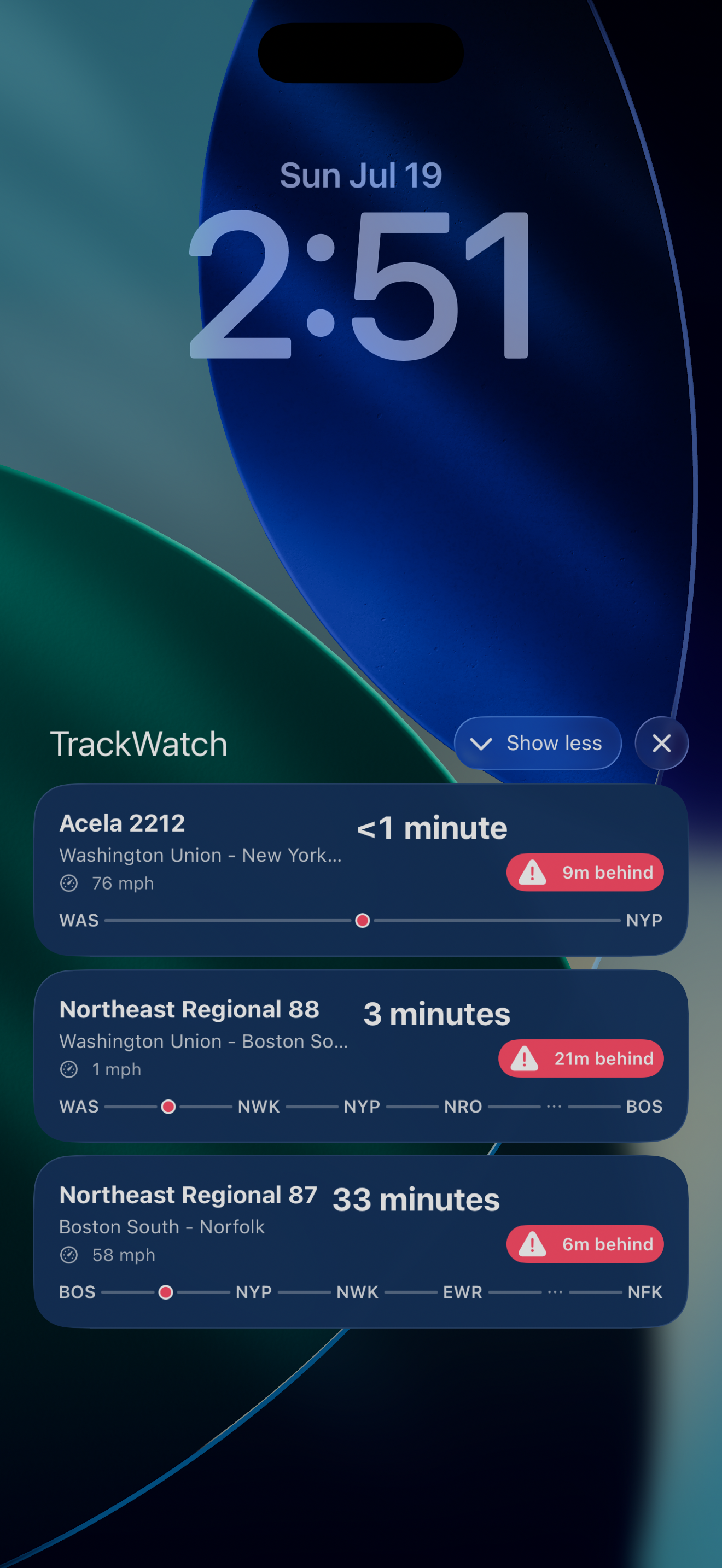
TrackWatch Lock Screen Live Activity showing a train's route line
Why TrackWatch

Everything you want to know about your train, at a glance.

Built for people who ride Amtrak often enough to be annoyed that no app did this well.

Live map tracking

See your train's real-time position, speed, heading, and delay status on a live map.

Lock Screen Live Activity

Your route plotted right on the Lock Screen — station codes along the line, with a dot showing exactly where your train is.

Home screen widget

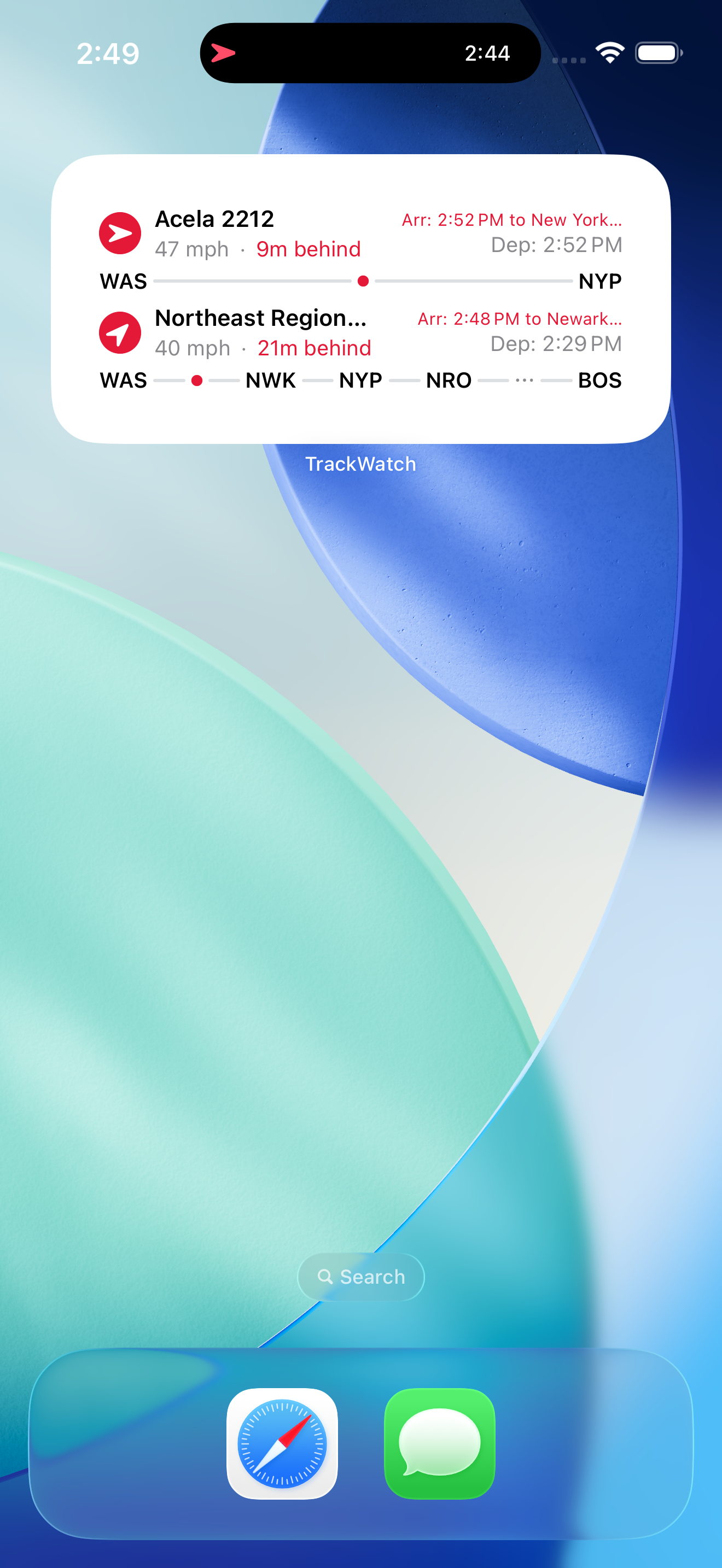
Track up to two trains at once from your home screen, no need to open the app.

🔔

Multi-stop notifications

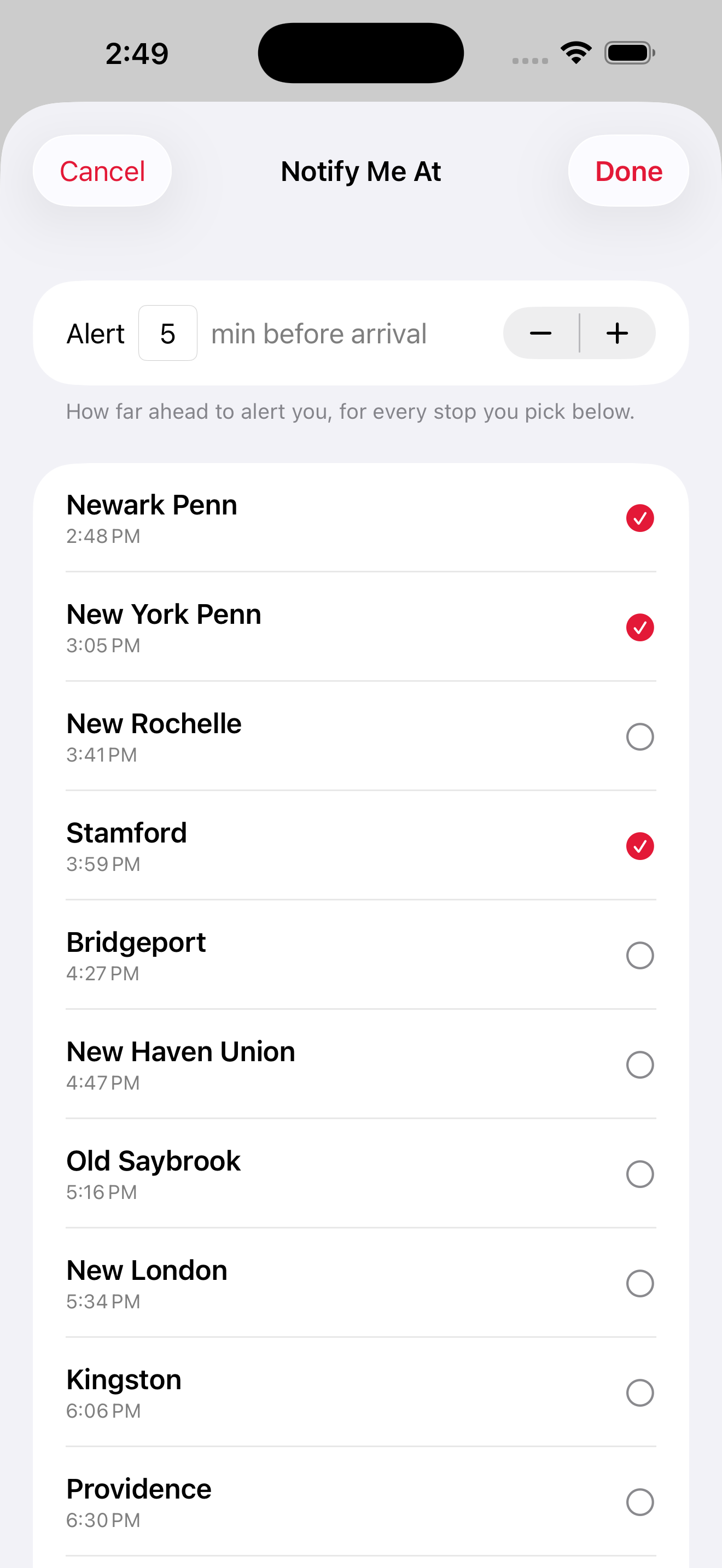
Pick any stop — or several — along the route and get alerted a set number of minutes before arrival.

Station Board

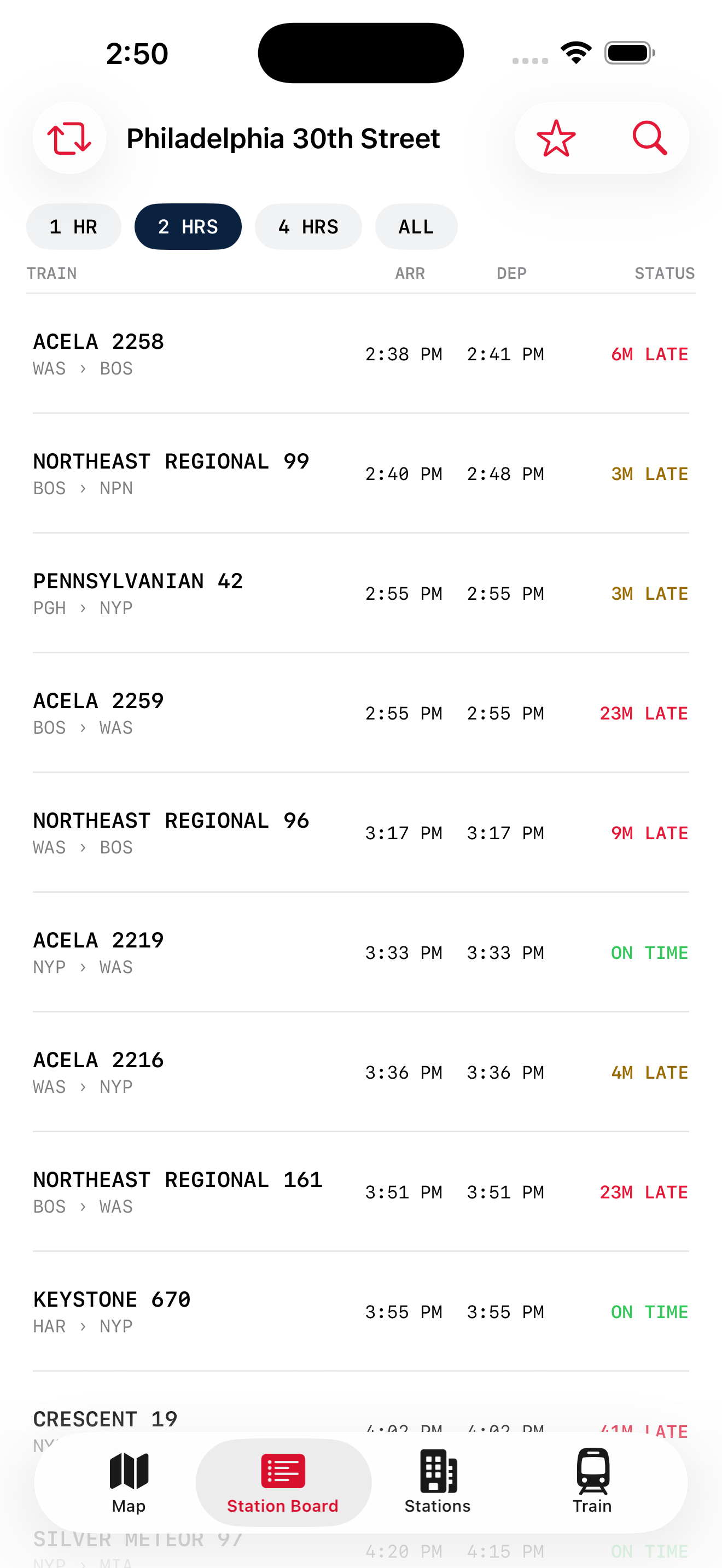
A real departure-board view of any station, styled after the boards you'd see in the terminal.

🔍

Find a train, fast

Search by train number or station and start tracking in a couple of taps.

See it in action

Designed to be read in a glance, not a squint.

Lock Screen

Your route, plotted on the line.

Origin and destination up top, station codes strung along the progress line below, with a dot marking exactly where your train is right now. No guessing, no tapping through screens.

TrackWatch Lock Screen showing station codes plotted along the route line
Notifications

Notified only for the stops you care about.

Pick one stop or several from the remaining stops on the route, set how many minutes of lead time you want, and TrackWatch handles the rest.

TrackWatch Notify Me multi-stop picker sheet
Station Board

Feels like standing in the terminal.

A proper departure board — train number, route, scheduled and estimated times, live status — for any station in the network.

TrackWatch Station Board departure-board view
Home Screen

Two trains, one glance.

The same route-line design from the Lock Screen, sized for your home screen — track up to two trains side by side.

TrackWatch home screen widget showing two tracked trains
How it works

Up and running in under a minute.

1

Find your train

Search by train number, route, or station.

2

Tap Track

It appears on your map, Lock Screen, and widget instantly.

3

Set your stops

Choose which stops you want a heads-up for, and how far in advance.

No catch

Buy it once. That's it.

No account required

Nothing to sign up for, nothing to sync. Open the app and start tracking.

No ads, no tracking

TrackWatch doesn't collect or sell your data. See the privacy policy for details.

One-time purchase

No subscription, no recurring charge. Pay once, own it.

Independent, not official

TrackWatch is built by TurnCards LLC and is not affiliated with or endorsed by Amtrak.

Never wonder where your train is again.

Download TrackWatch and track your first train in under a minute.

Download on the App Store